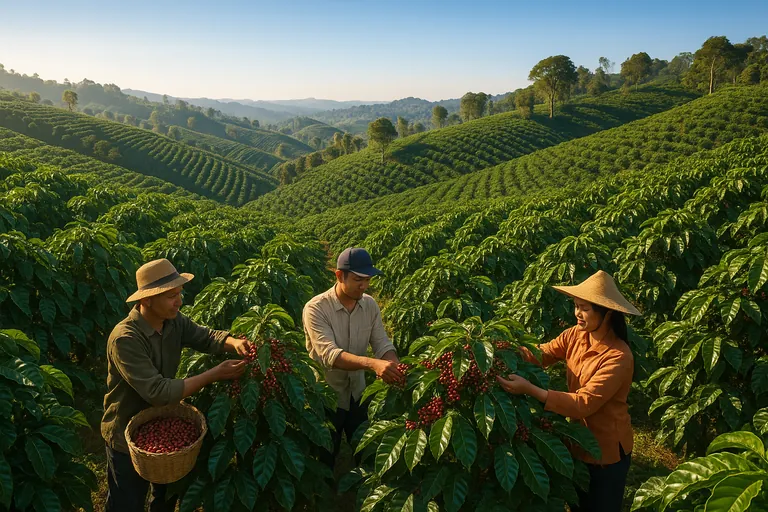
A field‑tested, smartphone‑only workflow to capture EUDR‑compliant geolocation for Indonesian smallholder coffee. When to use polygon vs point, how to map offline with free apps, export to GeoJSON/CSV, check post‑2020 deforestation, and get data ready for the EU Information System.
We took a fragmented smallholder supply and made it EUDR‑ready in 90 days using this exact field workflow. No drones. No expensive GNSS gear. Just smartphones, free apps, and disciplined QA. If you’re staring at the polygon vs point question or wondering how to export GeoJSON for the EU system, this is the playbook we use daily.
The 3 pillars of reliable EUDR geolocation
- Fit‑for‑purpose mapping. Use polygons where they matter, points where allowed. Map once, validate twice, and re‑verify before shipments.
- Clean data structure. Standardized IDs, versioned files, and properties that match the EUDR Information System’s expectations.
- Evidence of “no deforestation after 31 Dec 2020.” Pair every plot with a simple, auditable remote‑sensing check and a timestamped report.
Here’s how we implement those pillars step by step.
Week 1–2: Prep and validation (tools + templates)
We onboard the field team and make two decisions before anyone steps into a farm: points or polygons, and which app.
Do I need polygons or just a single GPS point for plots under 4 hectares?
EUDR requires geolocation of production plots. For plots smaller than 4 hectares, one or more points are permitted. For plots 4 hectares or larger, a polygon boundary is required. Our rule of thumb: if a plot is close to 4 hectares or irregularly shaped, record a polygon anyway. It improves risk analysis and avoids rework later if the area estimate changes.
Which free apps work best to map coffee farm polygons offline in Indonesia?
We’ve had good results with:
- SW Maps. Easy learning curve, great offline basemaps, solid attribute forms. Android.
- QField. Professional pairing with QGIS projects. Best if you already maintain layers in QGIS. Android/iOS.
- KoboCollect/ODK. Great for structured forms and point capture. Polygons are possible but less visual.
If your team is new to mapping, start with SW Maps. If you already manage shapefiles and GeoPackages in QGIS, QField saves time.
What GPS accuracy is good enough, and how do I get it with a phone?
EUDR doesn’t publish a hard meter threshold. In practice, 5–10 m horizontal accuracy is sufficient to verify deforestation‑free status against 10 m Sentinel or 30 m Landsat layers. With a modern smartphone, you can consistently hit 3–8 m if you:
- Record at the plot’s edge in open sky where possible. Avoid tall shade trees blocking half the sky.
- Use waypoint averaging. Stand still for 20–30 seconds per vertex. Most apps show an accuracy readout; wait until it stabilizes.
- Map during mid‑morning for better satellite geometry. Rainy afternoons under canopy are the worst.
- Bring a power bank. Low battery degrades GPS performance more than people expect.
We log the reported accuracy per point in attributes. Consistency matters more than chasing perfect numbers.
Templates that save you from rework
Create a feature form with these fields:
- farmer_id, plot_id, village, district, province
- area_method (app_calc, survey_tape, existing_cert), area_m2
- date_captured, collector_name, device_model, horz_acc_m
- land_rights_doc (yes/no), consent_signed (yes/no)
- crop_type (arabica/robusta), plant_year range, shade_cover
We also standardize file names like: ID_FarmerID_PlotID_YYYYMMDD_v01.geojson. That version number will save you later.
Week 3–6: Field capture and quick testing
This is where most projects drift. Keep it simple.
How do I map multiple small plots for the same farmer and keep them organized?
One farmer can have three or more non‑contiguous plots. Give every plot a persistent plot_id like GYO123‑1, GYO123‑2. Never reuse IDs. Keep a farmer master list in CSV with farmer_id, name, village. In SW Maps or QField, attach the farmer_id to each feature and fill plot_id uniquely. Store each farmer’s plots in one layer, not scattered across projects.
Mapping hillside coffee and calculating area
Indonesia is hilly. Smartphone polygon area is a projected 2D calculation, which is acceptable for EUDR. Use the right UTM zone per region when calculating in QGIS to avoid distortion:
- Sumatra mostly UTM 47S–48S. Java/Bali 48S–50S. Sulawesi 50S–51S. We compute area_m2 in QGIS using the local UTM and write it into the GeoJSON properties. Don’t rely on WGS84 degrees for area.
Common mistakes to avoid in the field
- Snapping vertices while walking too fast. Result: zig‑zag boundaries. Walk the edges slowly, add vertices manually.
- Leaving gaps in polygons. Always close the ring and visually confirm before saving.
- Not capturing consent. Photograph signed consent or attach a digital consent flag. EUDR expects lawful production evidence.
Quick validation before you leave the village
- Open the polygon over a recent basemap or high‑res imagery and check alignment against obvious features.
- Confirm plot size is plausible for the farmer’s stated production. If a “0.8 ha” plot measures 3.5 ha, re‑walk the boundary.
Week 7–12: Data validation, no‑deforestation checks, and EUDR upload
How can I quickly check that my mapped plots aren’t in areas deforested after 31 December 2020?
We run a simple, repeatable two‑layer check on each plot centroid and polygon:
- Sentinel‑2 time series. Use Planet NICFI basemaps where available or ESA Hub via QGIS. Look at late‑2020 imagery vs latest quarter.
- Global Forest Watch. Check “Tree cover loss” 2021–present and primary forest masks. Export a PNG with date stamps. For Indonesia, we also compare to KLHK land cover maps when available for corroboration. Save screenshots and write a one‑line conclusion in a per‑plot PDF. It doesn’t replace full risk assessment, but it answers the 2020 cutoff question cleanly.
What file format should I export, and how do I structure coordinates for the EUDR system?
The EU Information System accepts GeoJSON and CSV for geolocation. We prefer GeoJSON because polygons and properties travel together.
Minimal Point Feature example (single plot under 4 ha):
- type: Feature
- properties: farmer_id, plot_id, area_m2, date_captured, horz_acc_m
- geometry: Point with [longitude, latitude] Example coordinates: [115.259870, -8.262310]
Minimal Polygon Feature example (4 ha or larger):
- geometry: Polygon with coordinates as a closed ring. First and last coordinate identical.
- Coordinate order: [longitude, latitude]
For CSV, structure columns like: farmer_id, plot_id, geometry_type, lon, lat, wkt_polygon, area_m2, date_captured.
Steps to upload coordinates to the EUDR Information System
- Create an EU Login and register as an “operator.”
- Create a due diligence statement for HS 0901 coffee.
- Add country of production and supply chain details.
- Upload geolocation per production plot. Use one file per lot to keep performance snappy.
- Attach your risk assessment summary and the no‑deforestation evidence pack.
- Submit and store the DDS reference number for customs. We screenshot the final confirmation page for our audit file.
Need a quick sanity check on your GeoJSON before upload or a second set of eyes on your deforestation screenshots? You can Contact us on whatsapp. We’re happy to review a sample.
How often should I re‑verify or re‑map coffee plots to stay compliant?
We re‑verify annually before the main harvest. Re‑map only if there’s a boundary change, land transfer, or a discrepancy found in QA. For perennial coffee in stable smallholder landscapes, annual re‑verification strikes the right balance between accuracy and cost.
The 5 biggest mistakes that kill EUDR mapping projects
- Treating <4 ha as “no mapping needed.” You still need a point. We often capture a mini‑polygon anyway for better evidence.
- Throwing raw KML files at the EU system. Standardize to GeoJSON, use consistent properties, and validate geometry.
- Ignoring metadata. Without consent, device, date, and accuracy fields, you’ll struggle in an audit.
- No version control. Overwrite a file once and you’ll lose the chain of custody for geodata. Use v01, v02, and a change log.
- Skipping a 2020 cutoff check. It takes minutes per plot to document. It takes days to explain later if you don’t.
Field‑tested answers to the questions we get most
- Acceptable GPS accuracy for EUDR coffee geolocation. Aim for 5–10 m horizontal. Log the reported accuracy in attributes. Average points when signal is unstable.
- Best free app in Indonesia. SW Maps for most teams. QField if you manage data in QGIS. Kobo/ODK if your priority is strong forms and survey workflows.
- How to collect farmer consent and metadata. Build a short form with consent_signed, land_rights_doc, and a photo. Keep a PDF or JPEG in the plot’s folder. Note who captured it and when.
- How to store and version geodata for EUDR audits. One folder per farmer. Subfolders for raw, processed, evidence. Filenames with farmer_id and plot_id. Use a cloud drive with offline backup. If you’re comfortable with GIS, a single GeoPackage with version tags in attributes is excellent.
- How to map multiple plots for one farmer under EUDR. Unique plot_id per parcel, all linked to one farmer_id. Use a relationship table or just keep a tidy CSV master if you’re not using a full database.
- Workflows to capture polygons offline and sync later. Preload MBTiles basemaps in SW Maps. In QField, package the project with a GeoPackage and sync when back online. Keep your phone in airplane mode during capture to save battery and avoid app lag.
- EUDR coffee GeoJSON format example. Use FeatureCollection with one Feature per plot. Properties include farmer_id, plot_id, area_m2, date_captured, horz_acc_m, and any consent flags. Geometry as Point or Polygon with long, lat order.
Where this advice applies, and where it doesn’t
This guide focuses on geolocation mapping. You still need full due diligence on legality, risk assessment, and mitigation beyond mapping. If you operate large estates with cadastral survey data, your workflow will lean more on QGIS and official shapefiles. For Indonesian smallholders, the smartphone workflow above is the fastest path we’ve found to clean, auditable geodata.
What we ship with our lots
We maintain EUDR‑ready geodata packages for our core origins. For example, our Arabica Bali Kintamani Grade 1 Green Coffee Beans and Sumatra Mandheling Green Coffee Beans come with verified plot geolocation and a 2020 cutoff evidence pack on request. For blends that span regions, like the Bali, Java, Gayo & Mandheling - Wine Green Arabica Coffee Beans, we structure the GeoJSON per contributing origin so your DDS assembly stays clean and fast.
If you prefer to source EUDR‑ready Indonesian lots with geodata packaged, you can View our products. It’s the same data structure we use internally, so integration is straightforward.
Practical takeaways you can use today
- Decide polygons vs points per plot now. If in doubt, capture a polygon.
- Standardize your GeoJSON properties before fieldwork. Don’t clean after the fact.
- Pair every plot with a simple, timestamped deforestation check and keep the screenshot.
- Re‑verify annually. Re‑map only when something changes.
We’ve found that teams who keep to this rhythm finish mapping in weeks, not months, and sail through EUDR document checks. And if you hit a snag, ping us with a sample file and we’ll point you in the right direction.